


How Wireless Apple CarPlay and Android Auto Make Everyday Driving Easier around Sussex, WI
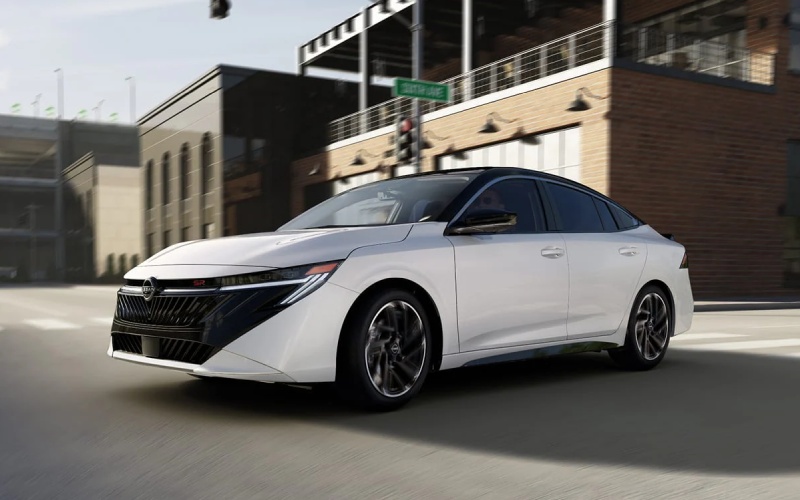
Russ Darrow Nissan of West Bend – How Wireless Apple CarPlay and Android Auto Make Everyday Driving Easier around Sussex, WI
Few features change daily driving as dramatically as wireless smartphone integration. In the 2026 Sentra, Wireless Apple CarPlay and Android Auto™ bring your favorite apps, maps, playlists, and podcasts directly to the vehicle’s display without cords—cleaner, simpler, and more intuitive. For drivers navigating Sussex, WI and neighboring towns, that translates to a calmer cabin and faster getaways when you’re on the move.
Because the Sentra offers an available monolith display with integrated 12.3-inch dual screens, your mapped route, next-turn prompts, and audio cues sit within easy reach and clear view. Whether you are on Main Street, Lisbon Avenue, or heading toward WI-164, everything you need lives in a thoughtfully organized interface, so you can keep your focus on the drive.
What Wireless Integration Means Day to Day
Cord-free connectivity isn’t just convenient—it’s a quality-of-life upgrade you feel at every start-up. Instead of digging for a cable or juggling your phone in the cupholder, your compatible device connects automatically, and your go-to apps are ready within moments. It streamlines short hops to local shops and longer runs toward I-41 with equal ease.
Use your voice assistant to search for coffee, send a quick message, or queue up a podcast. This hands-on-the-wheel, eyes-on-the-road approach is exactly what many Sussex drivers want when traffic picks up near popular intersections or school zones. With the Sentra’s user-friendly interface and wireless software mirroring, you spend less time fiddling and more time driving confidently.
Quick Setup Tips for a Smooth First Pairing
- Enable Bluetooth and Wi-Fi on your compatible smartphone.
- Open the Sentra’s infotainment settings and select “Add Device.”
- Confirm the pairing code shown on the screen and your phone.
- Allow permissions for contacts, messages, and notifications if desired.
- Set your default navigation and audio apps for a seamless start-up.
After your first pairing, the system should reconnect automatically each time you start the vehicle with your phone nearby. If you ever switch devices, just remove the previous phone from your paired list and repeat the steps above.
Make the Most of Wireless Apple CarPlay and Android Auto™
- Keep apps updated: Current versions of your navigation and media apps ensure faster load times and fewer connection hiccups.
- Use voice-first commands: Ask for directions, place a call, or change playlists without taking your hands off the wheel.
- Organize your home screen: Put your most-used apps front and center so you find what you need in a glance.
- Know your shortcuts: Learn quick-tap controls for recent destinations, favorite contacts, and audio sources.
- Plan for multi-driver households: The Sentra supports additional driver profiles in NissanConnect® Services, keeping settings tidy.
Beyond convenience, the Sentra’s connected ecosystem supports a calmer drive. Features within NissanConnect® Services such as Remote Engine Start with Intelligent Climate Control and Remote Vehicle Status pair nicely with wireless integration. Start the car from your kitchen, step into a comfortable cabin, and your apps are ready to go when you sit down—no cables, no fuss.
Audio lovers in Sussex will appreciate how the available Bose Premium Audio System complements wireless tech. With crisp highs and balanced bass, it’s a difference you hear the moment your playlist gets going, whether you are running errands by Village Park or heading across town toward Menomonee Avenue.
Frequently Asked Questions:
Do I need a cable at all for Apple CarPlay or Android Auto™?
No. On the 2026 Sentra, wireless Apple CarPlay and Android Auto™ connect via Bluetooth and Wi-Fi, so you can leave the cable in your bag.
Will wireless use more battery on my phone?
It can. Many drivers drop a slim wireless charger into the console so the phone stays topped up during longer drives.
What if I prefer Waze over another maps app?
Set your preferred app as default in your phone’s settings. The Sentra will use it automatically once you select navigation.
Can I switch between drivers without confusion?
Yes. Delete unused pairings and take advantage of NissanConnect® Services’ support for additional drivers so each person’s settings remain consistent.
Does wireless integration affect sound quality?
Streaming quality is excellent, and the available Bose Premium Audio System elevates the clarity and depth of your music and podcasts.
For Sussex commuters who want fewer steps before every drive, wireless integration is a practical, daily upgrade. It shines when you juggle errands, kid drop-offs, or a quick run to the grocery store. And on longer trips toward Pewaukee Lake or through Menomonee Falls, clean routing and voice-first control help keep your focus forward.
When you are ready to explore features hands-on, stop by a friendly showroom and try Wireless Apple CarPlay and Android Auto™ on the Sentra’s available monolith display. One drive is usually enough to feel the difference between cabled and truly cord-free driving. If you prefer a guided walkthrough, our product specialists can pair your device, set up your favorite apps, and share practical shortcuts you will use daily.
Russ Darrow Nissan of West Bend is serving Pewaukee, Menomonee Falls, and Sussex with an easy, customer-first approach. From a simple feature demo to a full test drive, we are here to help you understand how the 2026 Sentra’s technology fits your everyday routes and routines. Try wireless integration for yourself—you may be surprised how much calmer your drive feels when the cords go away and everything just works.
0 comment(s) so far on How Wireless Apple CarPlay and Android Auto Make Everyday Driving Easier around Sussex, WI